Examples from this site's pipeline
Last verified 2026-11-02 · Sources: img/ pipeline pairs (3 photos x 3 detail levels), checked 2026-11-02 · Report an error
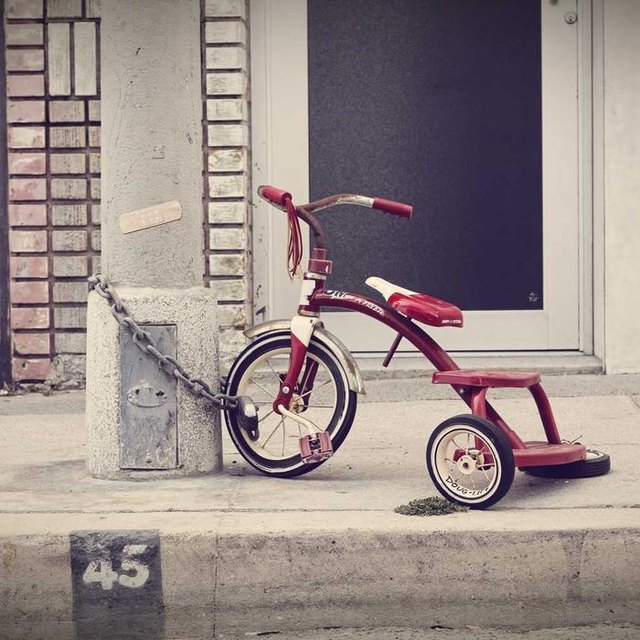
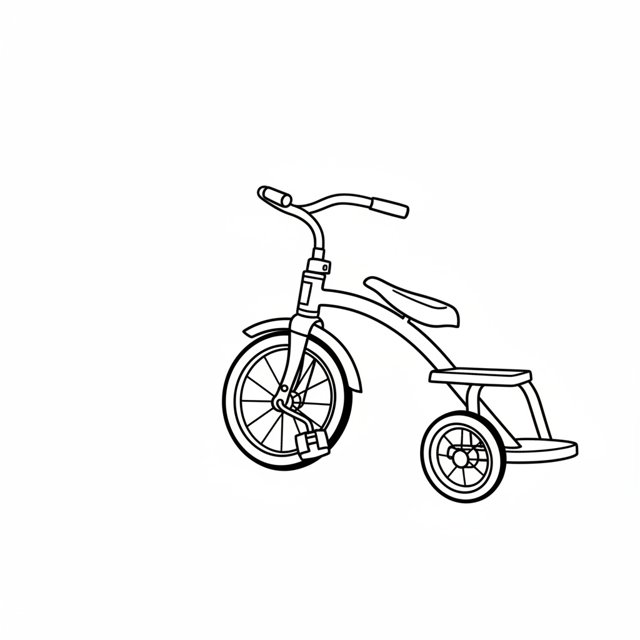
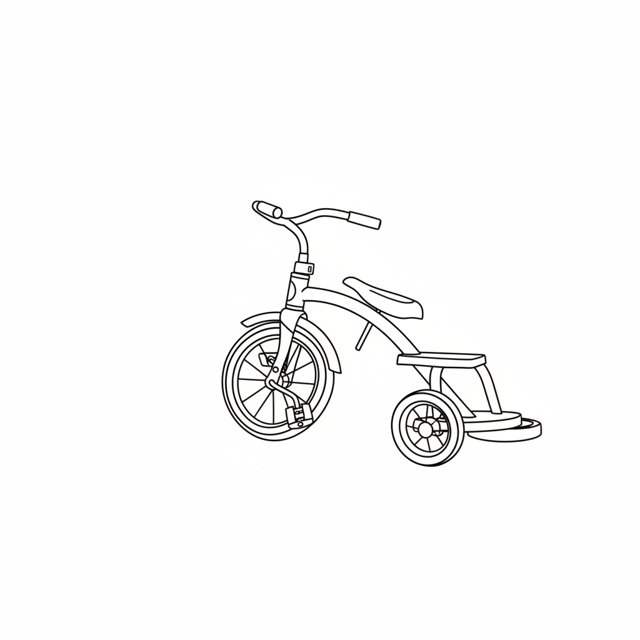
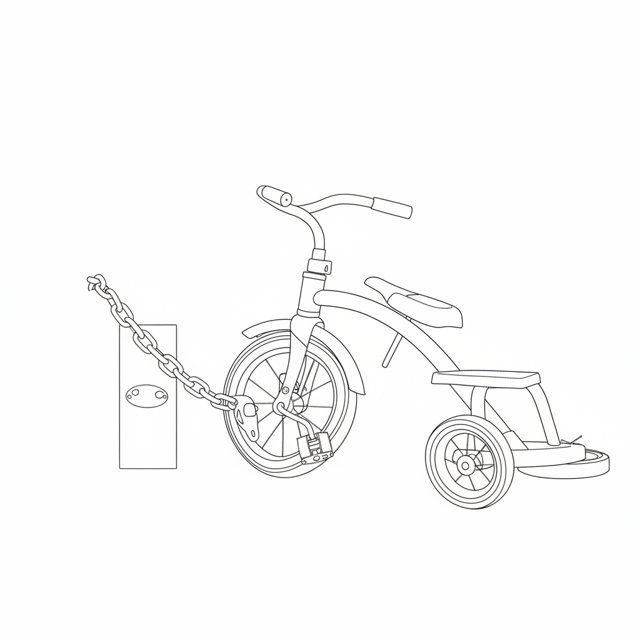
Three source photos, each run at the three detail levels the tool offers. Every output below was produced by this site's pipeline from the photo above it. The source photos are the site's own test files in img/; the outputs sit beside them in the same folder.
1. A child's tricycle chained to a gate post
Produced by this site's pipeline
Produced by this site's pipeline
Produced by this site's pipeline
The Clean output drops the post, the chain and the pavement and keeps the tricycle outline. Fine brings the chain and the post plate back and keeps more wheel and frame detail. If you want only the object, Clean is the setting that gives you only the object — and it is the one that survives best at 6–8 cm.
2. Two vintage cars in front of yellow garage doors
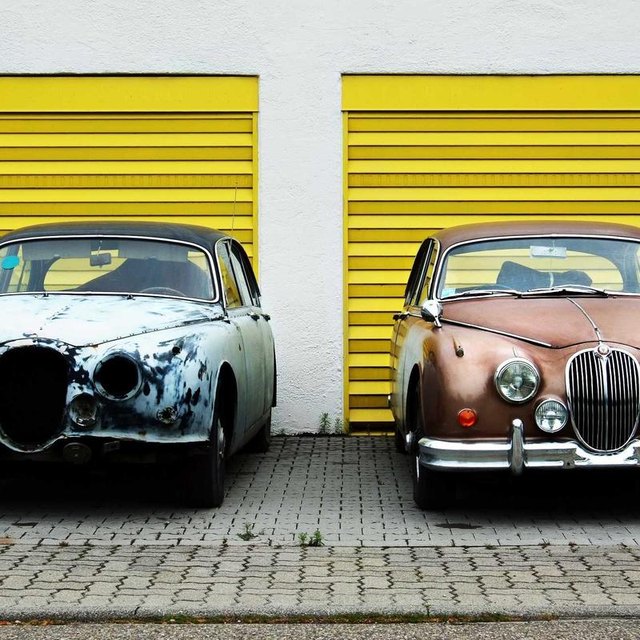
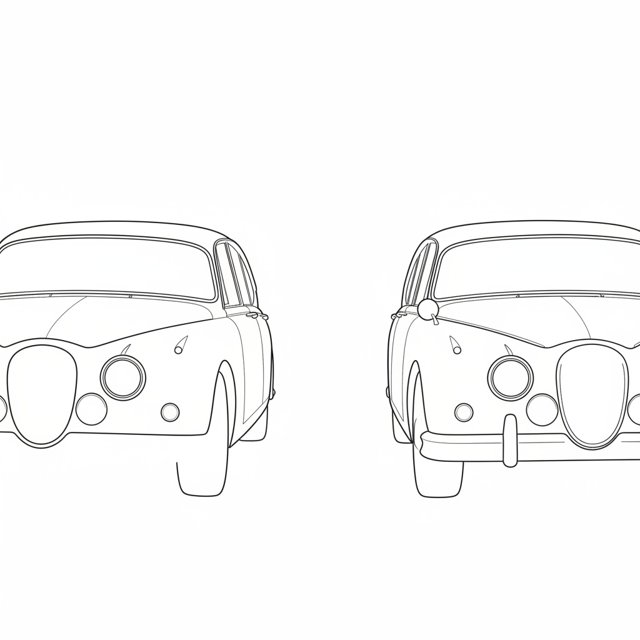
Produced by this site's pipeline
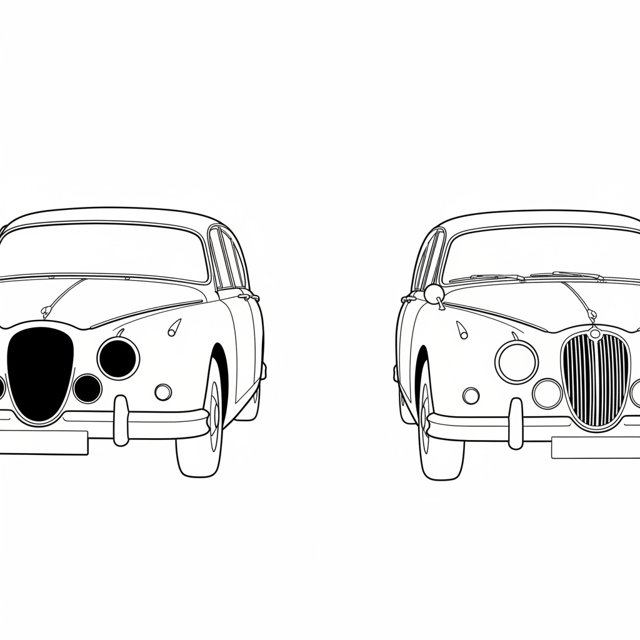
Produced by this site's pipeline
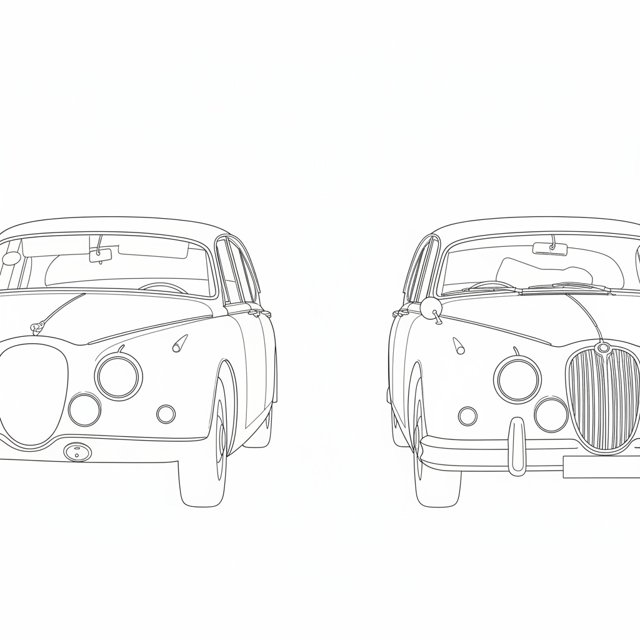
Produced by this site's pipeline
The garage doors disappear at every level, which is what you want from a background with strong vertical lines. Clean leaves the two body shapes readable as a pair; Fine adds the grille slats and the mirrors. Two subjects in one frame already strains the tool: at 10 cm the pair still separates, but each car is small.
3. A yellow house, a bicycle and a man reading
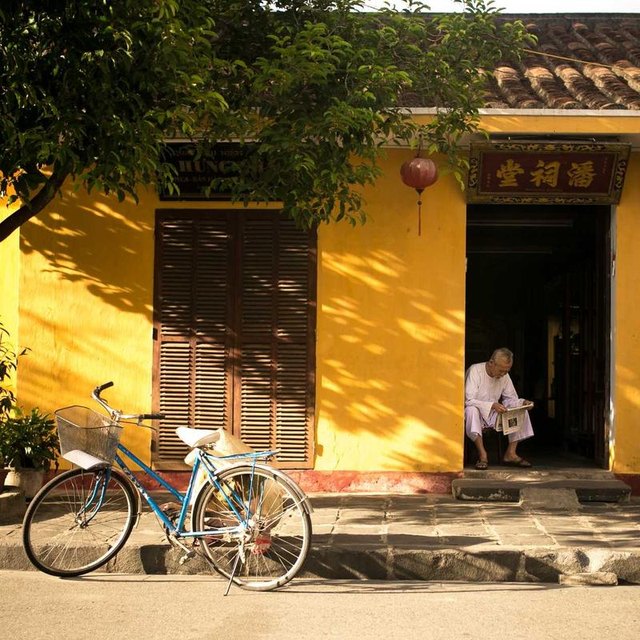
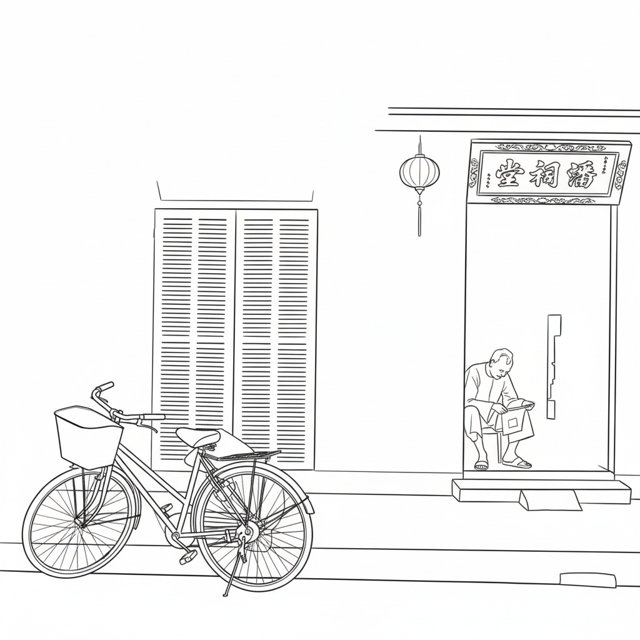
Produced by this site's pipeline
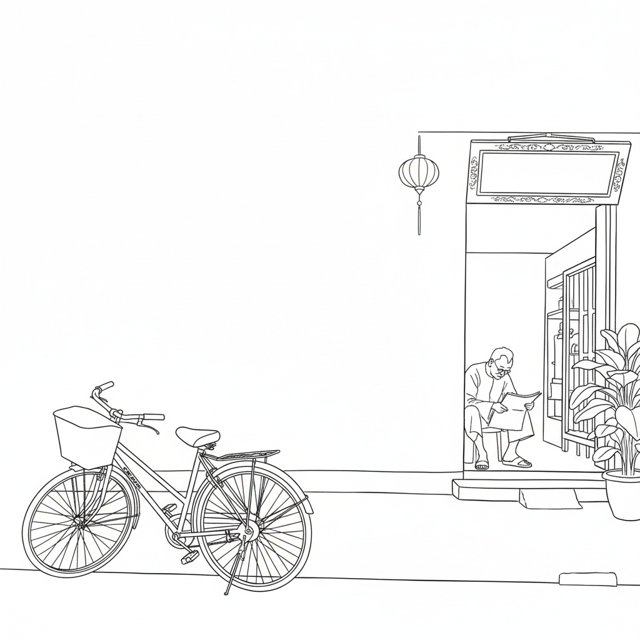
Produced by this site's pipeline
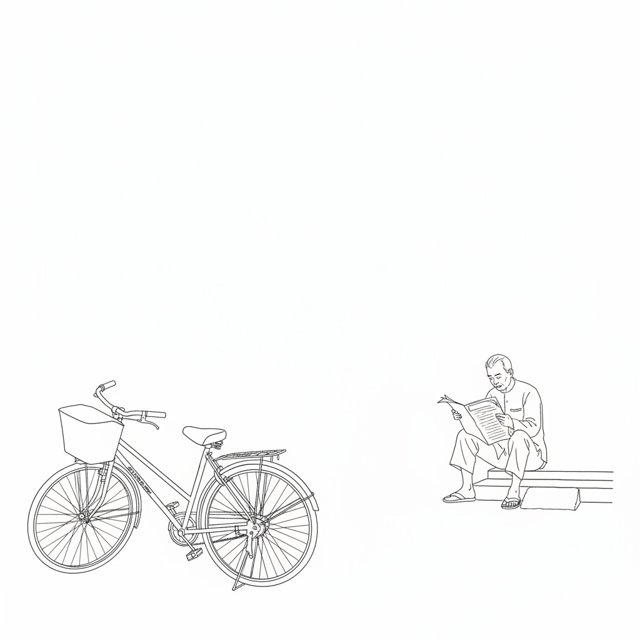
Produced by this site's pipeline
This is the honest one: the three settings keep different parts of the scene. Clean keeps the shutters, the lantern and the doorway. Fine drops most of the architecture and keeps the bicycle and the man reading. The setting is not a “more detail” slider on a full scene — it changes which edges the model treats as subject, and that is a known limitation, not a feature. For a scene like this, pick the element you actually want as a tattoo and crop the photo to it first.
What these examples do not show
- No portraits or pets. All three test files are objects or a wide scene. A face is the harder case, and this page does not pretend otherwise. The portrait caveats are on the portrait guide.
- No print output. These are 640 × 640 px renders from the preview pipeline, not the 300 DPI stencil PDF and not a physical print test. The stencil export is described on /methodology.
- No healed tattoos. There are no healed-tattoo photos in this build, so the slot at the top of this page is empty and nothing is rendered in it. When real healed photos exist, they go there with the same label.
- Three source photos, not six. The order behind this page asks for six licensed source pairs. Three exist in the repo and are published above; three more licensed source photos are missing, so nothing is rendered for them, and we will not substitute stock pictures without a licence link.
- No customer results. Nothing here is a testimonial, a review or a rating. The files are in the repo under img/ and can be compared with the source photo beside each set.
How to read the three settings
Clean uses the fewest interior lines and is the setting that holds up at small sizes. Balanced adds interior structure where the subject has it. Fine keeps the most interior lines and needs a bigger final size: at 5–6 cm, fine hatching closes up into a grey patch. The size ranges that fit each setting are on /tattoo-size-by-placement, and the geometry-only version of the same numbers is on /tattoo-size-chart.
None of these files is a finished tattoo design. An artist redraws line weights, spacing and edges for your skin and placement — that is the point of the seven handoff checks.
Try it with your own photo