Memorial Tattoo for Dad
A quiet way to start: upload a photo of your dad, or of something that was his, and see it as a tattoo design in the browser. Take the PNG or stencil PDF to your artist when you are ready.
Start with a photo

No photo handy? Try one of ours:
Compare styles
Try it on
Where will it go?
Memorial tattoo ideas for dad
The examples below are simple line drawings made for this page. Use them as a starting point, then build the design from a photo of your own.
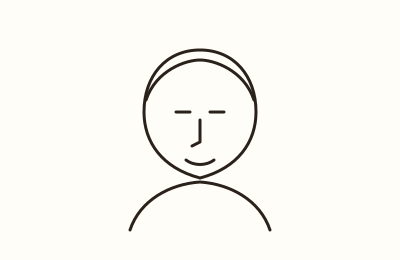
1. Portrait in line art
A clean outline of his face from a photo you love. Fine-line keeps it light; blackwork gives it weight.
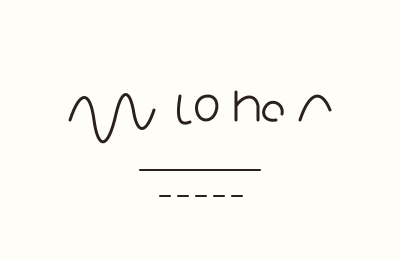
2. His handwriting
A note, a card, or a list in his own hand, traced as it was written. It keeps something ordinary of his close.
3. His signature
The way he signed his name, small and exact. Good for a wrist or forearm where you will see it daily.
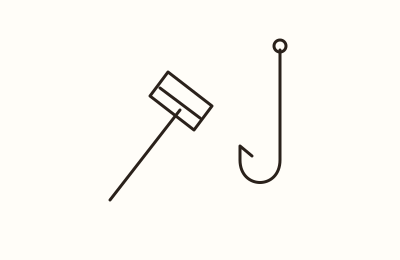
4. A tool or object he used
A hammer, a guitar, a camera, or a kitchen knife: the thing that says what his days were made of.
5. Coordinates of his hometown
The latitude and longitude of the place he was from or the place you shared. Numbers read well small.
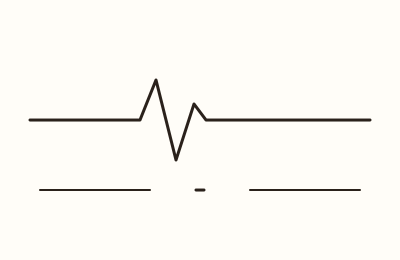
6. A date with a heartbeat line
His dates set beside a heartbeat line, simple and legible. Keep the lettering short so it holds up.
7. His pet
The dog that followed him everywhere, drawn from a photo. It can stand alone or sit beside his portrait.
8. A favorite place
A fishing boat, a lake, a stretch of road, or the house you grew up in. A place can carry as much as a face.
Making his memorial tattoo
Choosing a photo
Start with a clear, well-lit photo. A face at a slight angle often reads better than a straight-on shot, and a plain background keeps the outline clean.
If you want something other than his face, you can upload his handwriting, his car, a fishing boat, or his dog. The tool works from whatever image you give it.
- Pick the sharpest version of the photo you have
- Avoid heavy filters and deep shadows
- A photo where he looks like himself matters more than a formal portrait
Seeing it as a tattoo
The browser previews your photo in fine-line, blackwork, watercolor, and minimal styles, so you can compare directions before deciding. The AI line art option turns the image into a clean outline; the first AI preview comes watermarked.
You can also try the design on a body mockup and set the size, which helps you judge how it sits on a forearm, shoulder, or ribcage.
- Four styles to compare side by side
- Clean line-art outline for a stencil
- Body mockup with adjustable size
Adding dates and words
You can add optional text under the design, such as his name, his dates, or a short line you want to keep close. Keep it short; small lettering holds up better over time.
Place the text where it will not crowd the portrait, and check how it reads at the size you plan to tattoo.
- Name, dates, or a few words
- Text sits under the design
- Short lines stay legible as they age
Placement
Think about where you will see it and how much detail the spot can hold. A forearm or upper arm gives a portrait room; a wrist or ankle suits a smaller object, initials, or a date.
Use the mockup to check proportion against your own body before you commit.
- Forearm and upper arm: room for a portrait
- Chest and back: space for a larger piece
- Wrist, ankle, or behind the ear: smaller objects and text
Talking to your artist
Bring the PNG and the stencil PDF to your consultation. They give your artist a clear starting point for line weight, shading, and size.
Your artist will adjust the design for your skin and placement. That conversation is part of the process, and it is worth taking your time with it.
- Download the PNG and stencil PDF
- Share the original photo too
- Ask how the design will age on your skin
Remembering a pet too? See pet memorial tattoo ideas. More help: portrait tattoo guide · photo tips · placement guide.
One price, everything included
20 designs
Full-size PNG + stencil PDF · one-time payment
- Renewal: none. One-time payment; designs never expire.
- Refund: used 3 designs or fewer within 7 days, full refund. Failed designs are re-credited automatically. Refund policy
- Commercial use: personal and commercial licence, including handing the design to your tattoo artist. Terms
- Your first watermarked AI preview is included; full-resolution designs come with a pack.
- Need more?
Monthly renews each billing month until you cancel; cancel any time from the link in your Dodo Payments receipt email before the renewal date to avoid the next charge. Full pricing
Memorial tattoo questions
What photo should I upload?
Choose the clearest photo you have where he looks like himself. A plain background and even light help the outline come out clean.
Can I use something other than a portrait?
Yes. You can upload his handwriting, his car, a fishing boat, or his dog, and preview it as a design.
What do the preview styles look like?
The browser shows fine-line, blackwork, watercolor, and minimal. The AI line art option gives a clean outline, and the first AI preview is watermarked.
Can I add his name or dates?
Yes, there is an optional text field under the design for a name, dates, or a short line. Keep it brief so it stays readable.
How do I check the size and placement?
Use the body mockup to place the design and set its size. Compare a few spots before you decide.
What do I bring to my artist?
Download the PNG and the stencil PDF, and bring the original photo as well. Your artist can adjust line weight, shading, and size for your skin.